Building a Rails API for React, Part III: Building the Movie Resource
June 7, 2019 · 4 min read
Update — April 4, 2026: This post has been updated to improve clarity and structure. Key changes include enhanced explanations for API namespacing, refined code block formatting, and more detailed guidance on using Serializers versus Jbuilder.
In the third part of this series, we shift our focus back to the Rails backend to implement our first core resource: Movies. We'll ensure our architecture is ready for scale by using proper namespacing and a robust testing suite.
1. Namespaced Routing
To keep our API versioned and clean, we wrap our resources in api/v1 namespaces. This prevents breaking changes for existing users when we decide to release a version 2.
Edit config/routes.rb:
Rails.application.routes.draw do
  namespace :api do
    namespace :v1 do
      resources :movies
    end
  end
end
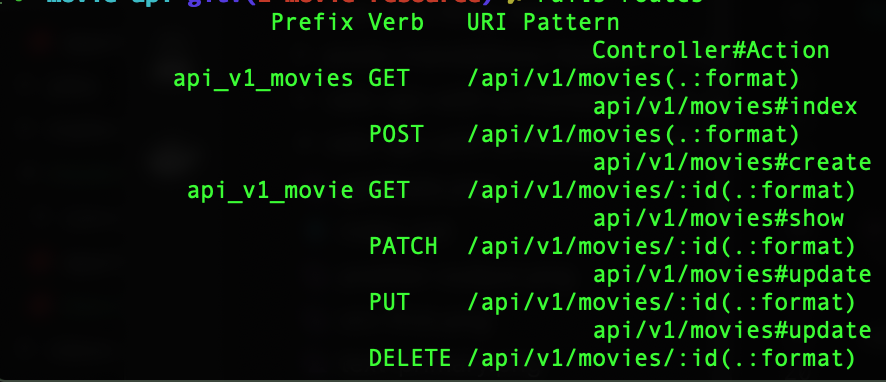
Run rails routes to verify your endpoints:
2. The API Base Controller
Inheriting from ActionController::API instead of Base keeps our controllers lightweight by skipping middleware intended for HTML rendering.
$ mkdir -p app/controllers/api/v1
$ touch app/controllers/api/v1/api_controller.rb
Define the base class:
class Api::V1::ApiController < ActionController::API
end
3. The Movie Model
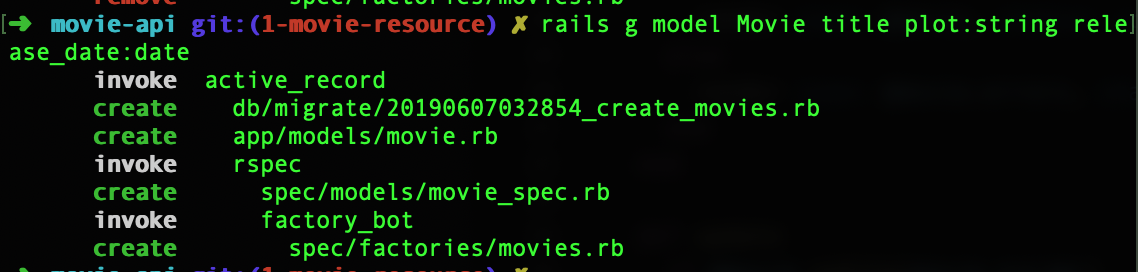
Our initial Movie schema will include a title, plot, and release date.
$ rails generate model Movie title plot:string release_date:date
$ rails db:create
$ rails db:migrate
Model Validations
We need to ensure the title and release_date are always provided.
class Movie < ApplicationRecord
  validates :title, :release_date, presence: true
end
Testing with Shoulda Matchers
Using the gems we added in Part I, we can write expressive, one-liner tests in spec/models/movie_spec.rb:
RSpec.describe Movie, type: :model do
  describe "validations" do
    it { is_expected.to validate_presence_of(:title) }
    it { is_expected.to validate_presence_of(:release_date) }
  end
end
4. Factories and Seeding
To avoid repetitive setup in our tests, we use FactoryBot combined with Faker for dynamic dummy data.
Creating the Factory
# spec/factories/movies.rb
FactoryBot.define do
  factory :movie do
    title { Faker::Book.title }
    plot { Faker::Lorem.paragraph }
    release_date { Faker::Date.birthday(18, 65) }
  end
end
Seeding the Database
Populate your development environment with 10 random movies in db/seeds.rb:
10.times do
  Movie.create(
    title: Faker::Book.title,
    plot: Faker::Lorem.paragraph,
    release_date: Faker::Date.birthday(18, 65),
  )
end
Run $ rails db:seed to apply.
5. The Movies Controller
This controller handles our standard CRUD operations, rendering JSON directly instead of HTML views.
# app/controllers/api/v1/movies_controller.rb
class Api::V1::MoviesController < Api::V1::ApiController
  before_action :set_movie, only: %i[show update destroy]

  def index
    @movies = Movie.all
    render json: @movies
  end

  def show
    render json: @movie
  end

  def create
    @movie = Movie.new(movie_params)
    if @movie.save
      render json: @movie, status: :created
    else
      render json: @movie.errors, status: :unprocessable_entity
    end
  end

  # ... update and destroy actions
end
6. Controlling JSON with Serializers
By default, Rails renders all model attributes, including sensitive or unnecessary fields like created_at. We use Active Model Serializers to prune our responses.
Add to Gemfile:
gem "active_model_serializers", "~> 0.10.0"
Defining the Serializer
# app/serializers/movie_serializer.rb
class MovieSerializer < ActiveModel::Serializer
  attributes :id, :title, :plot, :release_date
end
Now, a GET request to /api/v1/movies/1 will return only the fields defined above, keeping your API payload lean and secure.
7. Enabling CORS
Since our React frontend and Rails API run on different ports (usually 3001 and 3000), browsers will block requests by default. We must enable Cross-Origin Resource Sharing.
Add gem "rack-cors" to your Gemfile and configure the initializer:
# config/initializers/cors.rb
Rails.application.config.middleware.insert_before 0, Rack::Cors do
  allow do
    origins "*" # In production, replace this with your specific frontend domain
    resource "*",
             headers: :any,
             methods: %i[get post put patch delete options head]
  end
end
Security Note: Never use
origins "*"in a production environment. Always whitelist specific domains to prevent unauthorized access.
Verification
Before wrapping up, always ensure your code adheres to standards and passes all tests.
$ rubocop -a
$ rspec
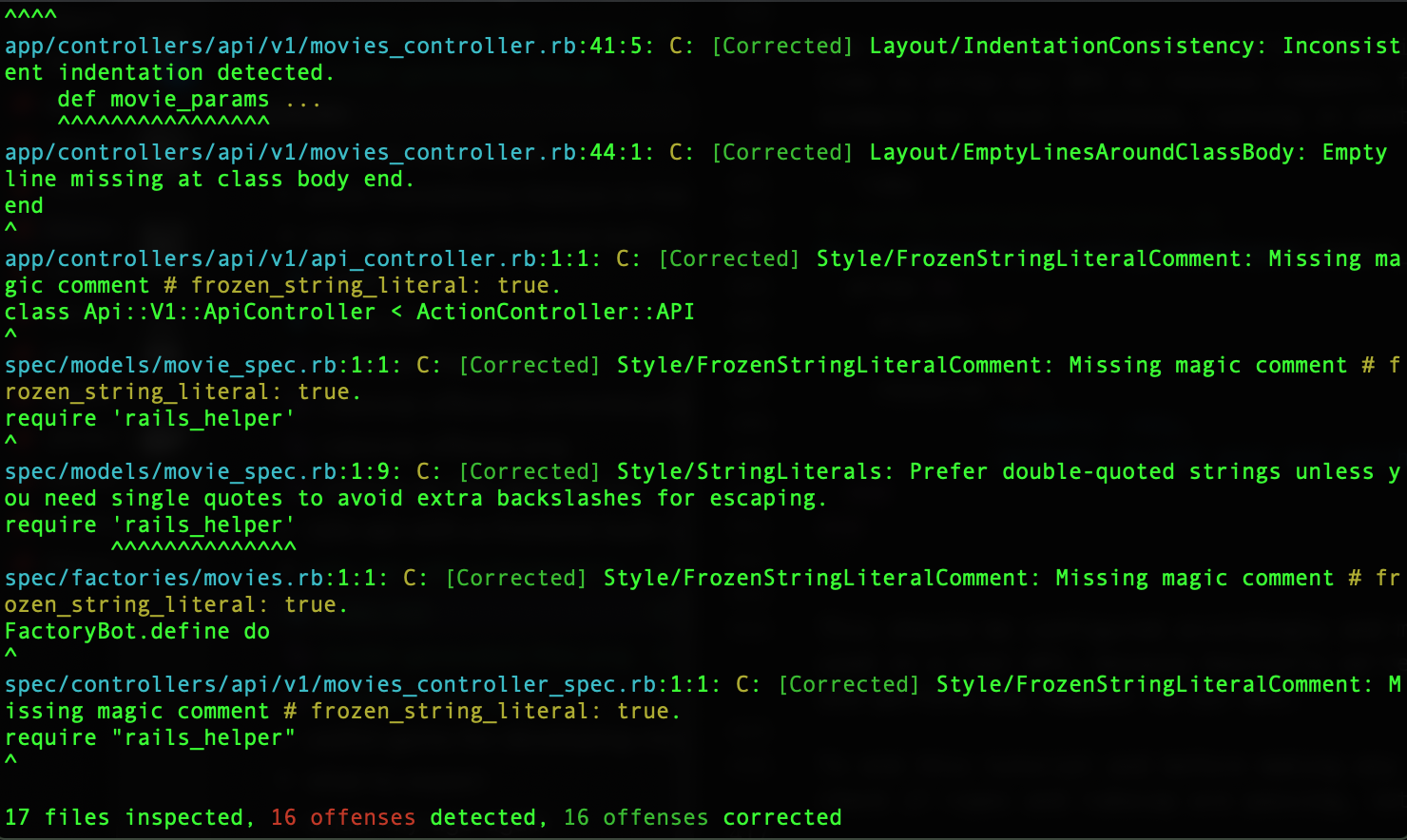

Everything is green! In the next post, we'll head back to the React side to start consuming these endpoints.